
在 bst 里搜索 format.name 然后参考 https://www.latexstudio.net/archives/11052.html
自己研究下,会搞得定的。
在 bst 里搜索 format.name 然后参考 https://www.latexstudio.net/archives/11052.html
自己研究下,会搞得定的。
李清大神的方案:https://github.com/CTeX-org/forum/issues/256
可以用 zref-savepos 记录位置,然后手动填充,需要编译两次。
\documentclass{ctexart}
\usepackage[a4paper]{geometry}
\usepackage{amsmath}
\usepackage{zref-savepos}

\makeatletter
\ExplSyntaxOn

\zref@require@unique

\NewDocumentCommand { \score } { O{} m }
  {
    \mode_if_math:TF
      { \@@_math_cdotfill:n { #2 \text { ~ 分 } } }
      { \__examzh_cdotfill: #2 分 }
    \mode_if_math:F
      {
        \par \noindent \ignorespaces
      }
  }
% 仿照 latex.ltx, line 651 的 \dotfill
\cs_new:Npn \__examzh_cdotfill:
  {
    \mode_leave_vertical:
    \cleaders \hb@xt@ .44em {\hss $\cdot$ \hss} \hfill
    \kern\z@
  }

\cs_new_protected:Npn \@@_math_cdotfill:n #1
  {
    \stepcounter { zref@unique }
    \hbox_overlap_right:n
      {
        \zsaveposx { \thezref@unique L }
        \zref@ifrefundefined { \thezref@unique R }
          { }
          {
            \cleaders
              \hbox_to_wd:nn { .44em } { \hss $\cdot$ \hss }
              \skip_horizontal:n
                {
                    \zposx { \thezref@unique R } sp
                  - \zposx { \thezref@unique L } sp
                }
          }
      }
    \tag * { \zsaveposx { \thezref@unique R } #1 }
  }

\ExplSyntaxOff
\makeatother把 [SizeFeatures={Size={10}}] 注释掉即可。
我这里编译毫无问题: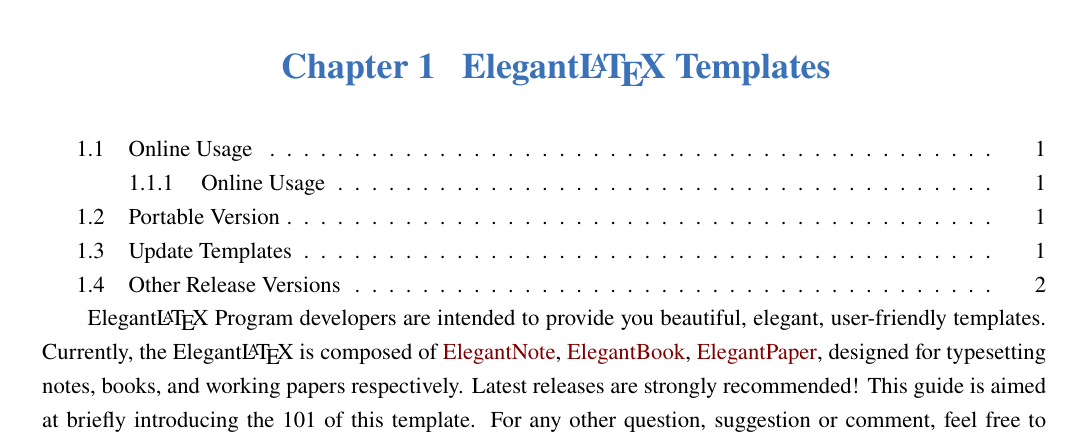
应该可以用的,具体问题要看具体的异常。
你的原图是啥样的?没理解,如果都是 png pdf 图片,用 fbox 也没有问题了。
12pt 已经是最大字号了,有兴趣可以看看这个宏包 https://ctan.org/pkg/fontsize 有更多字体大小的选择。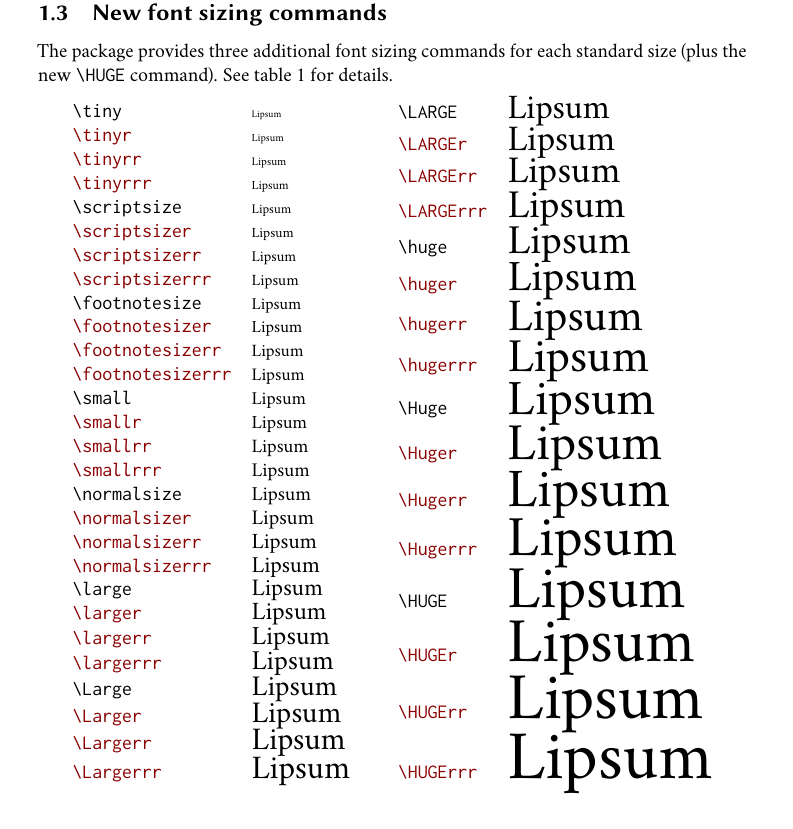
没看懂是什么问题?
找到问题了。主要是没有卸载老版本,直接安装新版本,导致用户文件配置不一致。
请提供下代码看看。
哎,那是word做不出来对齐效果或者做格式的老师做不出对齐效果,你还朝回改。这不是买椟还珠嘛!
代码请复制出来,放在代码块里,这是尊重提供答案的用户。
\documentclass{article}
\usepackage{xcolor}
\usepackage{ctex}
\usepackage[explicit]{titlesec}
\titleformat{\section}
{\sffamily\Large\bfseries\color{red!70!black}}
{}
{0em}
{\colorbox{red!70!black!10}{\parbox{\dimexpr\textwidth-2\fboxsep\relax }{\textcolor{red!70!black}{\thesection\quad#1}}}}

\titleformat{name=\section, numberless}
{\sffamily\Large\bfseries\color{red!70!black}}
{}
{0em}
{\colorbox{red!70!black!10}{\parbox{\dimexpr\textwidth-2\fboxsep\relax }{\textcolor{red!70!black}{#1}}}}
\begin{document}
\section{the}
\begin{thebibliography}{99}
\bibitem{Tadmor2012} Tadmor~E. A review of numerical methods for nonlinear partial differential
equations \allowbreak[J]. Bull. Amer. Math. Soc., 2012, 49(4): 507- 554.
\end{thebibliography}
\end{document}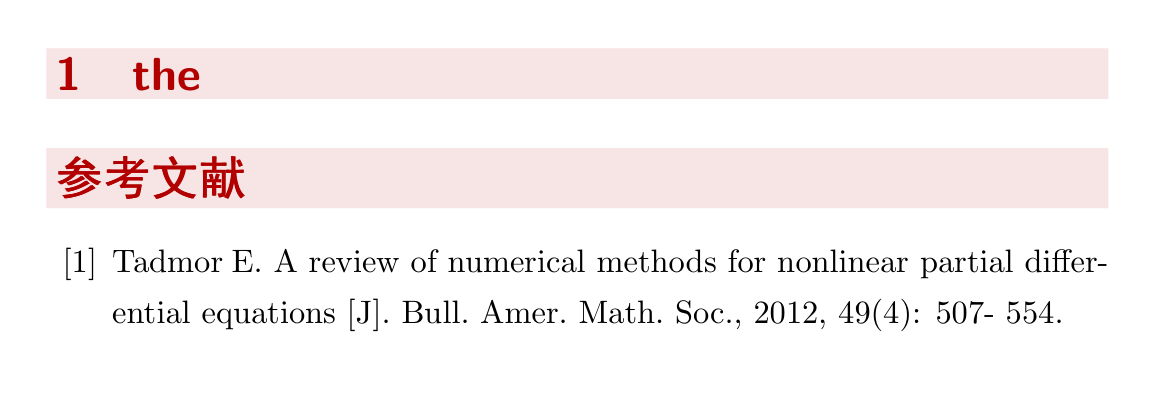
直接 \date{} 置空即可。如果想要减少距离,可以在里面加负距离的命令。
\date{\vspace*{-1cm}}看看这里:https://tex.stackexchange.com/questions/96418/beamer-pause-and-grey-not-in-order
可以用命令:\setbeamercovered{invisible} 在 beamer 文档的 17.6 sec 有描述: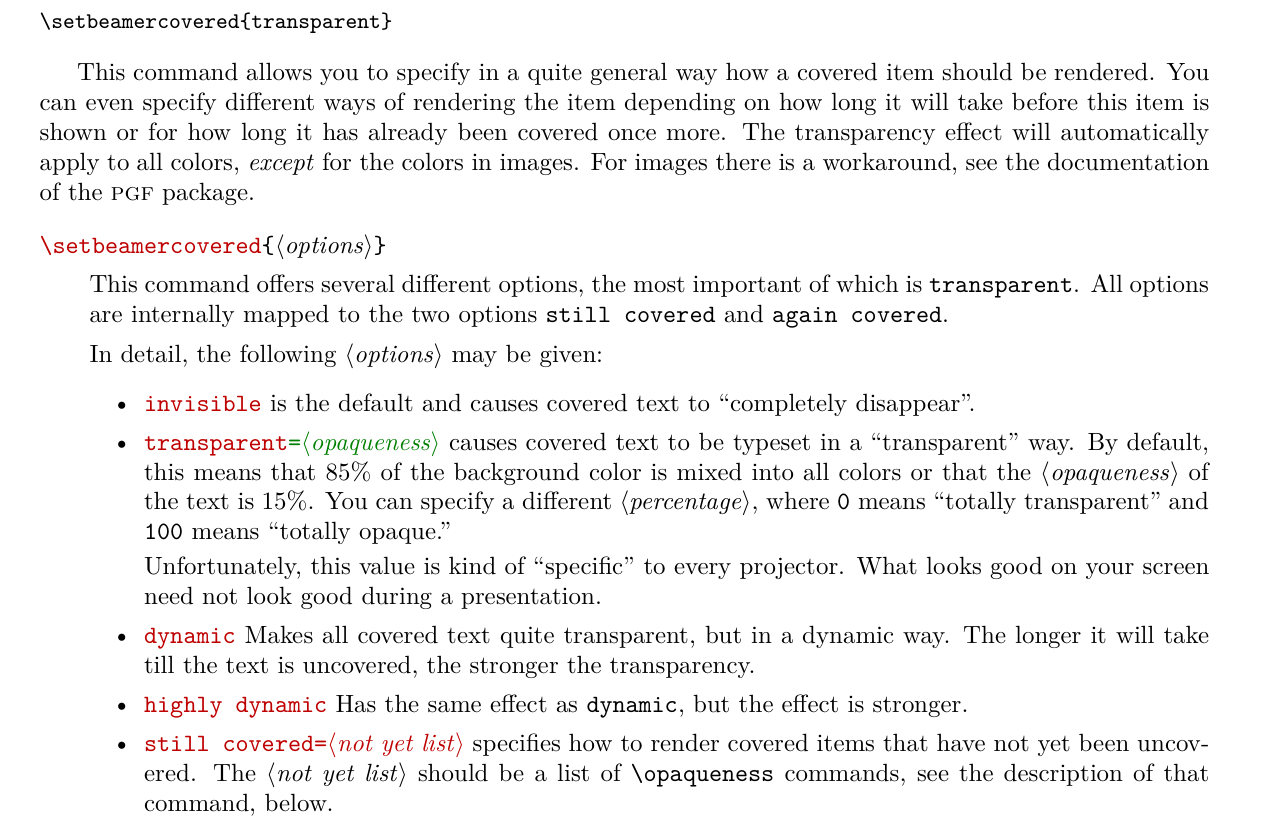
页眉的设置自动加了 \rightmark 可以使用 markboth 置空。
\titleformat{\part}
  {\normalfont\huge\filcenter}
  {}
  {20pt}
  {\markboth{}{}\begin{tikzpicture}[remember picture,overlay]
  \fill[outermarginbgcolor]
    ($(current page.north west)+(0,0)$) rectangle ($(current page.south east)+(0,0)$);%
  \node[
      rectangle,drop shadow={opacity=.3,color=black!40!white,shadow xshift=.05cm,shadow yshift=-.05cm},
      fill=outermarginfgcolor!90,
      text width=\paperwidth-2\outermarginwidth,
      rounded corners=5pt,
      text depth=15cm,
      anchor=center,
      inner sep=0pt] at (current page.north) (parttop)
    {\thepart};%
  \node[
      anchor=south east,
      inner sep=0pt,
      outer sep=0pt] (partnum) at ([xshift=-20pt]parttop.south)
    {\partnumfont\thepart};
  \node[
      anchor=south,
      inner sep=0pt] (partname) at ([yshift=2pt]partnum.south)
  {\partnamefont PART};
  \node[%
      anchor=north east,xshift=1.5\outermarginwidth,
      align=left,font=\Huge\scshape\color{outermarginfgcolor},
      inner xsep=0pt] at ([yshift=-0.5cm]partname.west|-partnum.south east)
  {\parbox[][.5\paperheight][t]{.5\textwidth}{\raggedright#1}};%
  \shade[%
      rectangle,drop shadow={opacity=.3,color=black!40!white,shadow xshift=.05cm,shadow yshift=-.05cm},
      top color=outermarginfgcolor!40,bottom color=outermarginbgcolor!20,
      rounded corners=5pt,
     ] ($(current page.south west)+(\outermarginwidth,1.2\footheight)$) rectangle ($(current page.south east)+(-\outermarginwidth,.3\paperheight+1.2\footheight)$);%
    \node[anchor=south,text=outermarginfgcolor,font=\large\sffamily\normalfont,] at ([yshift=1.25\footheight]current page.south) (partbottom) %
    {\parbox[][.3\paperheight][c]{\paperwidth-2\outermarginwidth-.5\footheight}{\partpage}};%
  \end{tikzpicture}%
  }
问 参考文献中作者名字应当首字母大写,为何显示全部大写?不知如何操作,看过一些笔记也尝试过一些代码均不能实现。