myhsia
myhsia
PhD Student in Cond-Matt Physics at Westlake University

注册于 3年前

回答
19
文章
1
关注者
2

  • 请正确使用markdown!

解答

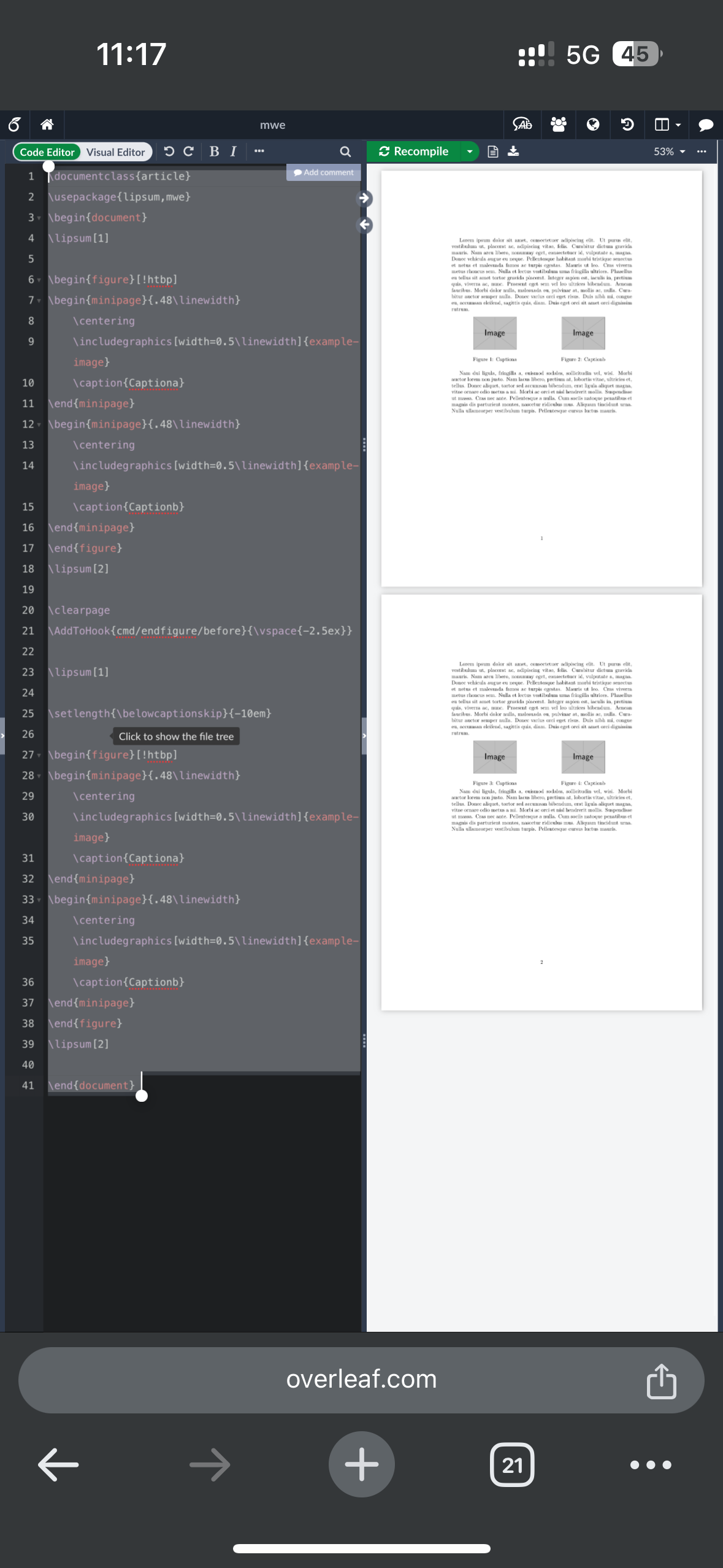
你可以使用caption包设置长度,不过这里我给出一种钩子的方法:


\documentclass{article}
\usepackage{lipsum,mwe}
\begin{document}
\lipsum[1]

\begin{figure}[!htbp]
\begin{minipage}{.48\linewidth}
    \centering
    \includegraphics[width=0.5\linewidth]{example-image}
    \caption{Captiona}
\end{minipage}
\begin{minipage}{.48\linewidth}
    \centering
    \includegraphics[width=0.5\linewidth]{example-image}
    \caption{Captionb}
\end{minipage}
\end{figure}
\lipsum[2]

\clearpage
\AddToHook{cmd/endfigure/before}{\vspace{-2.5ex}}

\lipsum[1]

\setlength{\belowcaptionskip}{-10em}

\begin{figure}[!htbp]
\begin{minipage}{.48\linewidth}
    \centering
    \includegraphics[width=0.5\linewidth]{example-image}
    \caption{Captiona}
\end{minipage}
\begin{minipage}{.48\linewidth}
    \centering
    \includegraphics[width=0.5\linewidth]{example-image}
    \caption{Captionb}
\end{minipage}
\end{figure}
\lipsum[2]

\end{document} 

IMG_0744.png

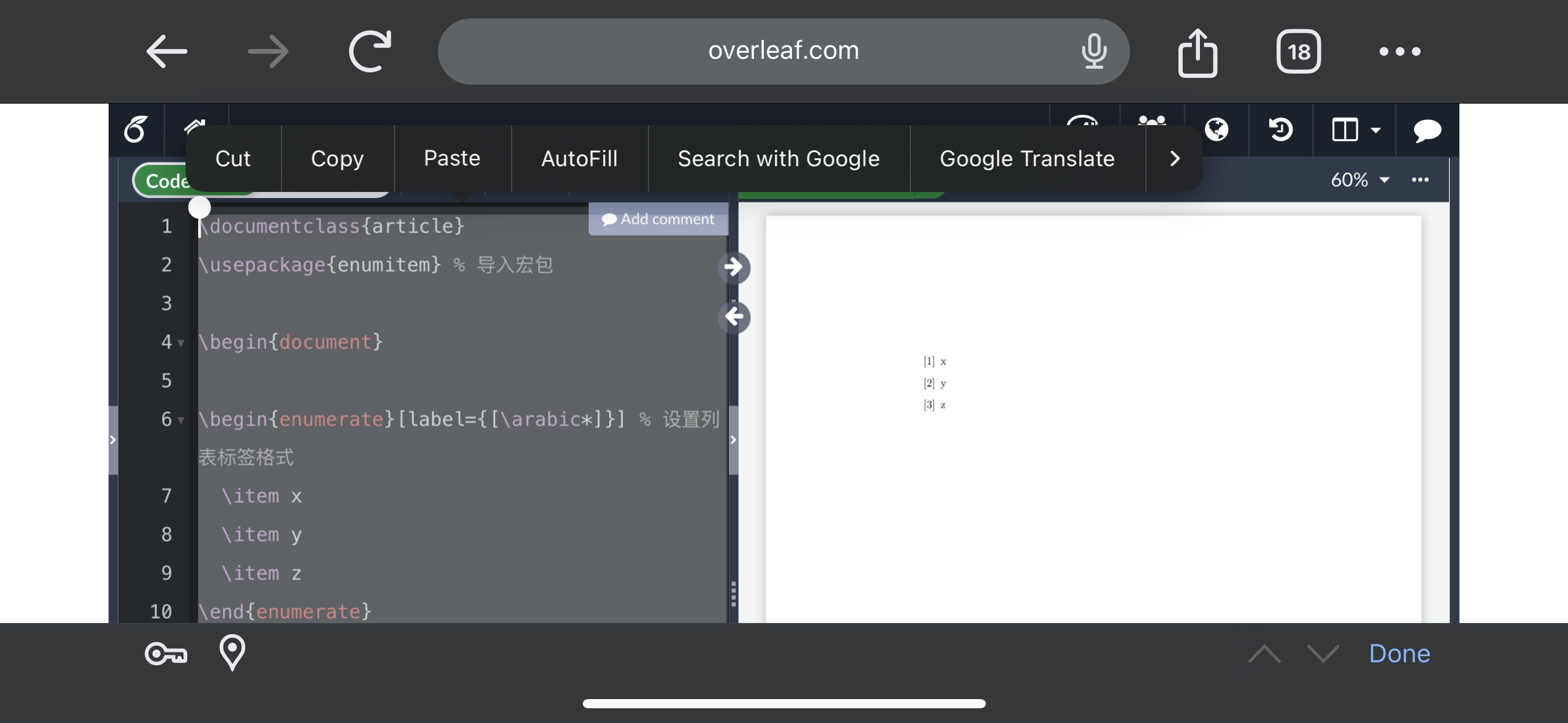
粗略解释,因为方括号会和可选参数冲突,解决方法就是用花括号括起来


\documentclass{article}
\usepackage{enumitem} % 导入宏包
 
\begin{document}
 
\begin{enumerate}[label={[\arabic*]}] % 设置列表标签格式
  \item x
  \item y
  \item z
\end{enumerate}
 
\end{document}

Overleaf Screenshot

你所使用的verbatim环境内的代码字体为打字机等宽,在跨页时,会"误伤"到页脚等元素,你可以使用fancyvrb包的Verbatim环境(V大写)替代verbatim环境,"误伤"的问题便得以解决.

附件为修改后的代码,当然Verbatim环境的字体可能在字号、加粗等方面和默认的verbatim环境略有不同,你可以在终端机输入texdoc fancyvrb查看用户手册,更改代码样式
124004f7d259b29c9999367043c4f851.tex

发布
问题